Streaks
Turning campaign execution from manual overhead into a self-running creator behavior system. Daily link sharing tripled in its first 48 hours.
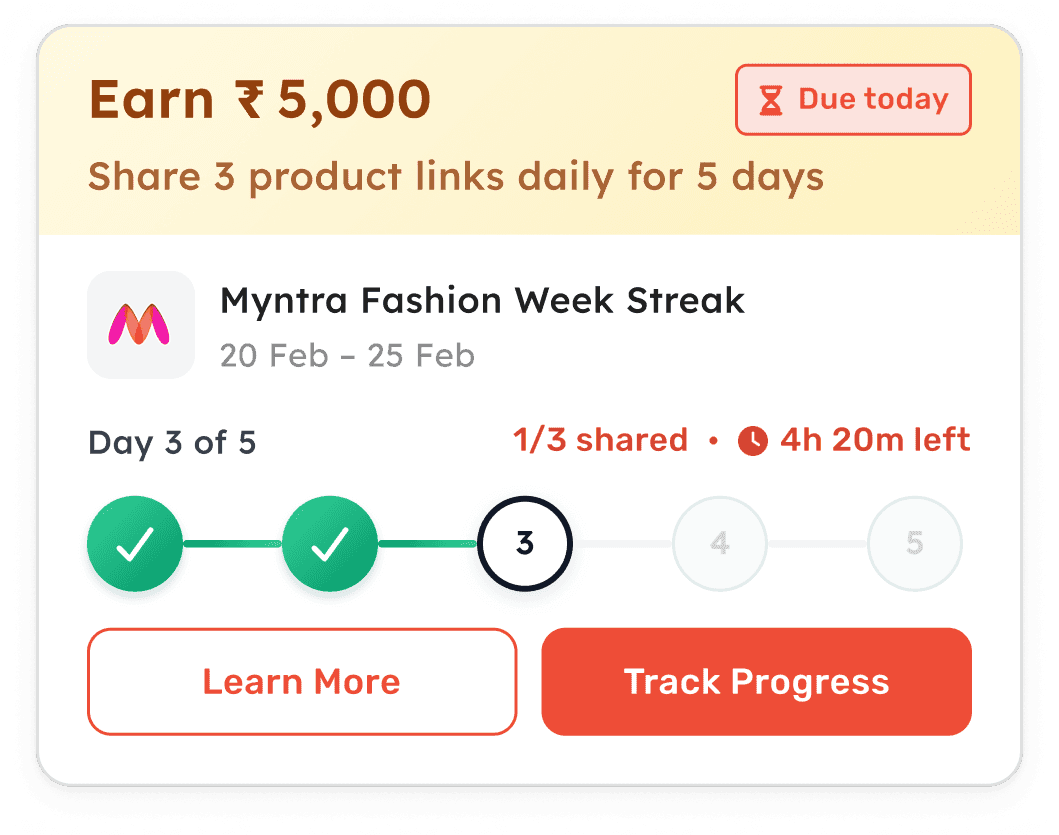
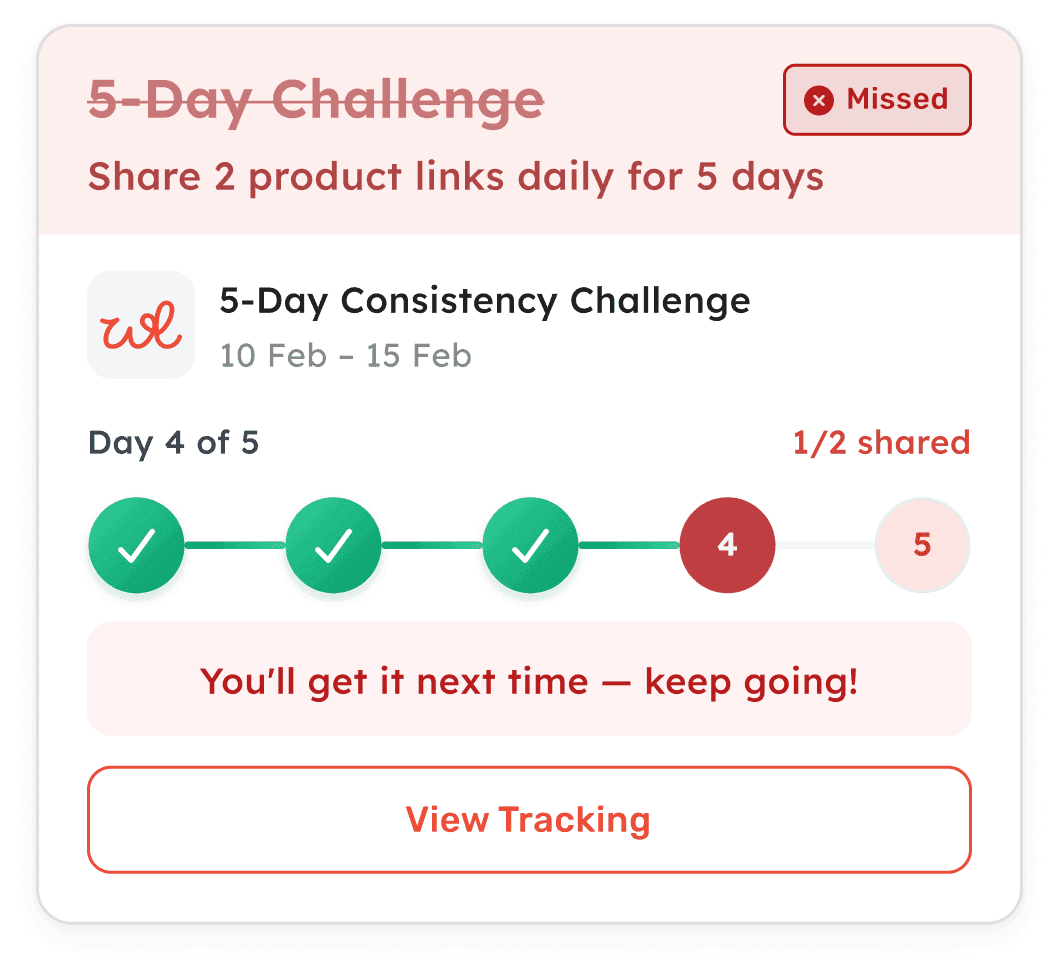
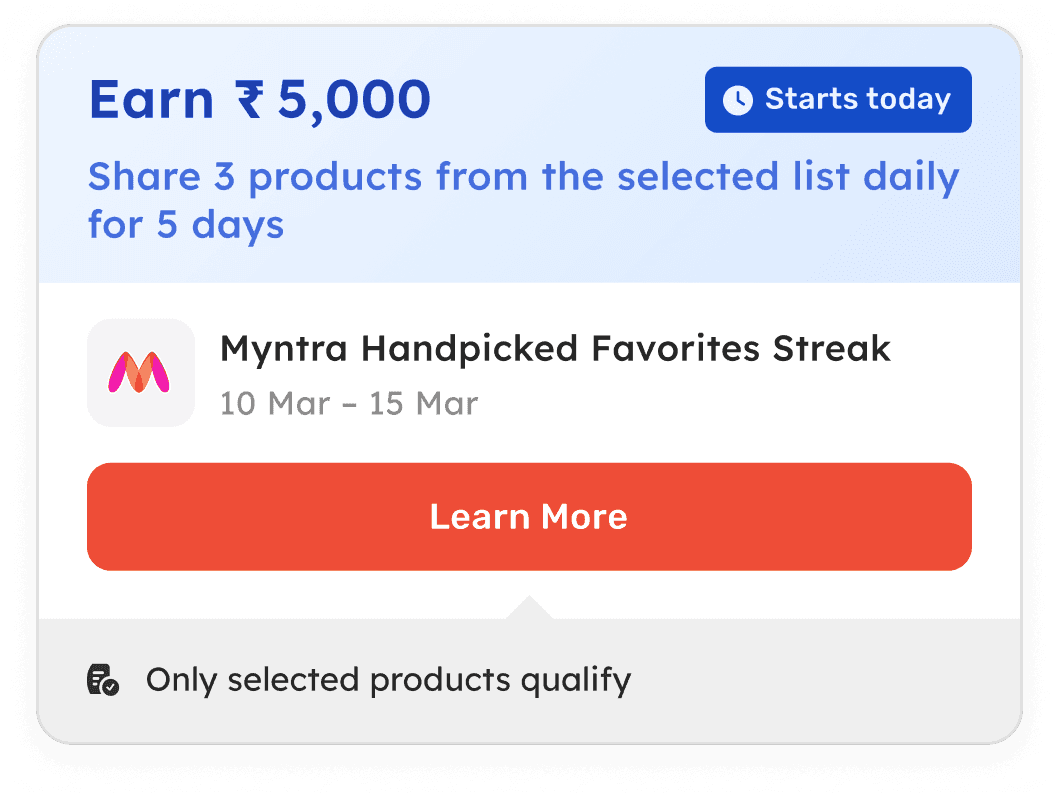
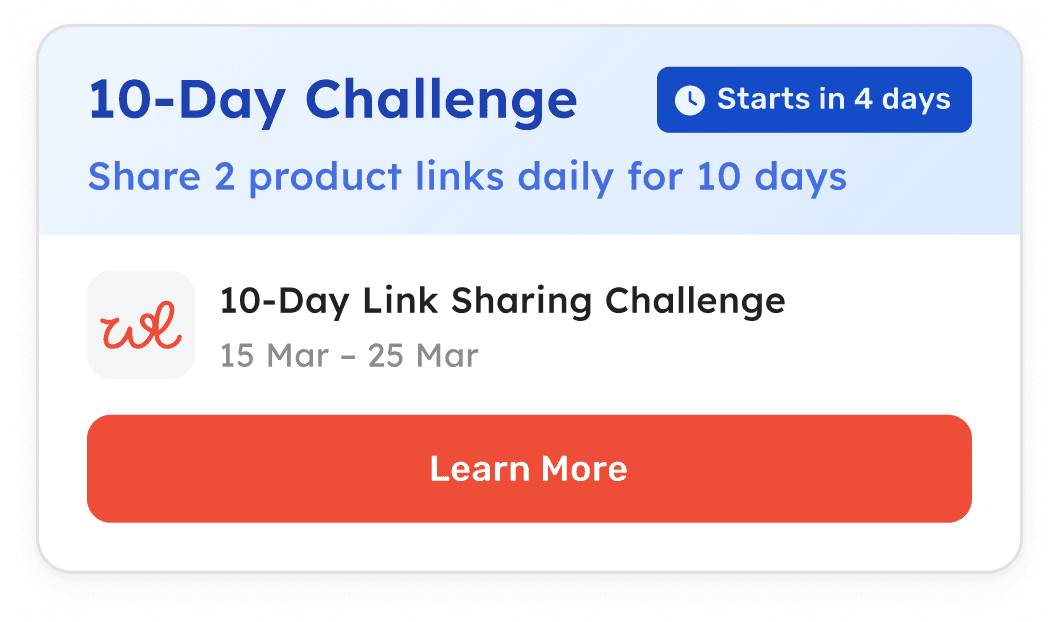
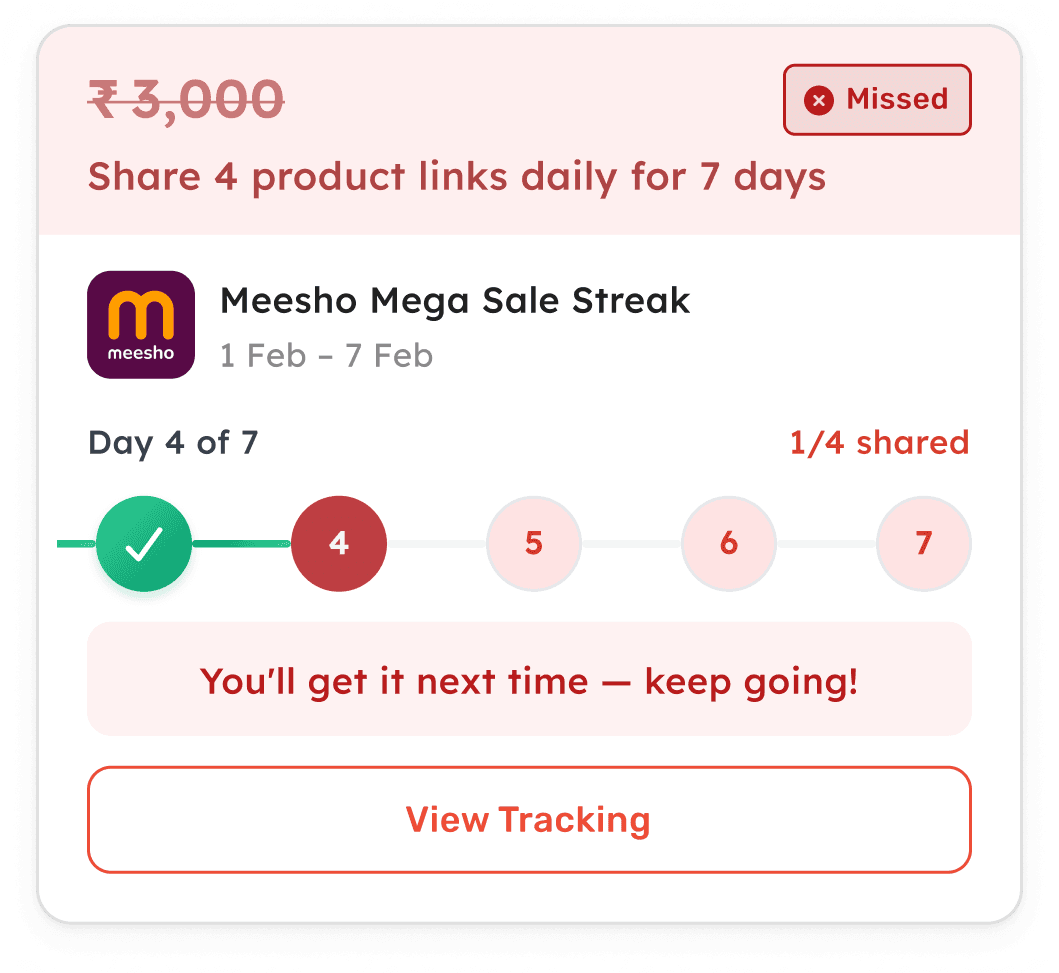
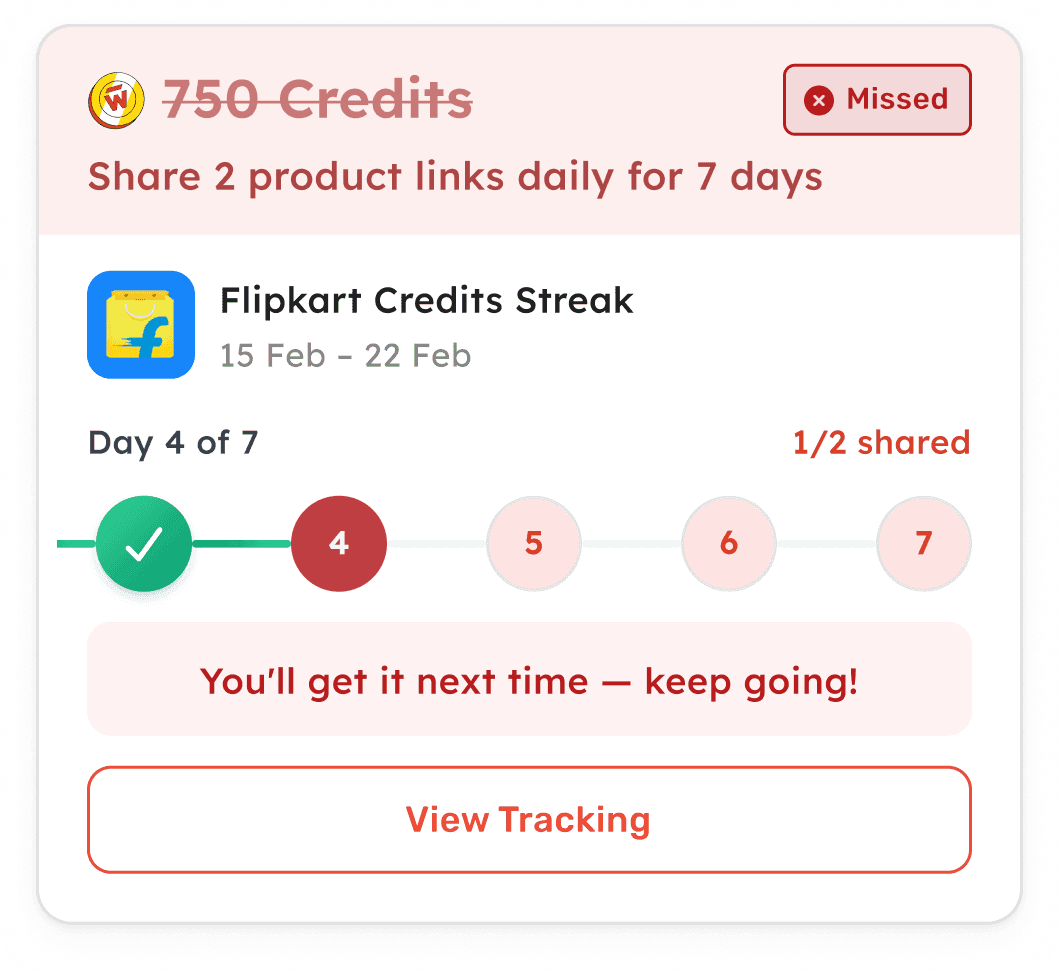
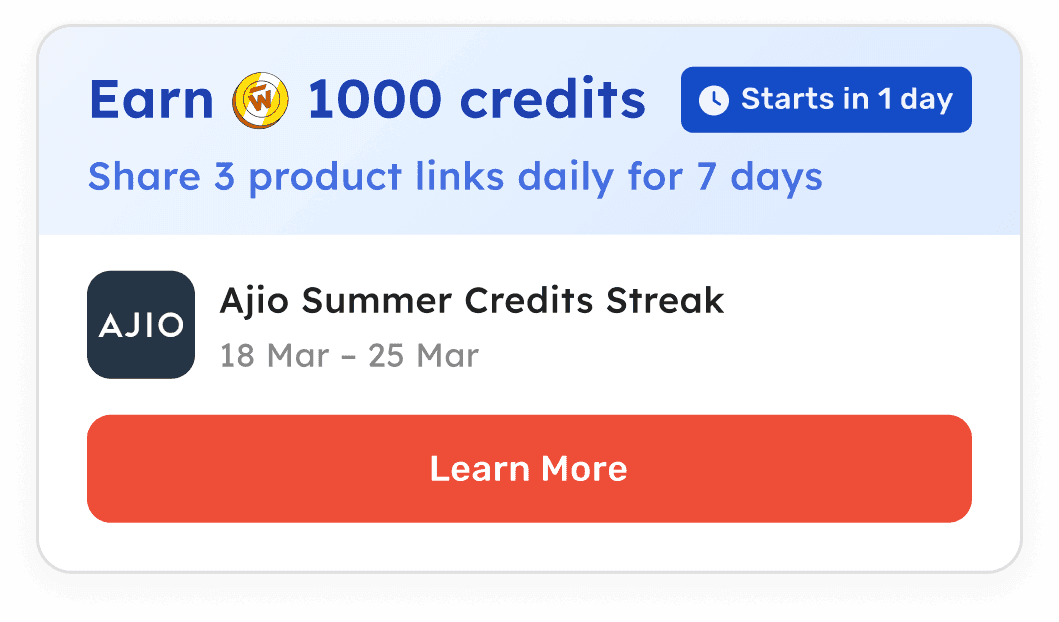
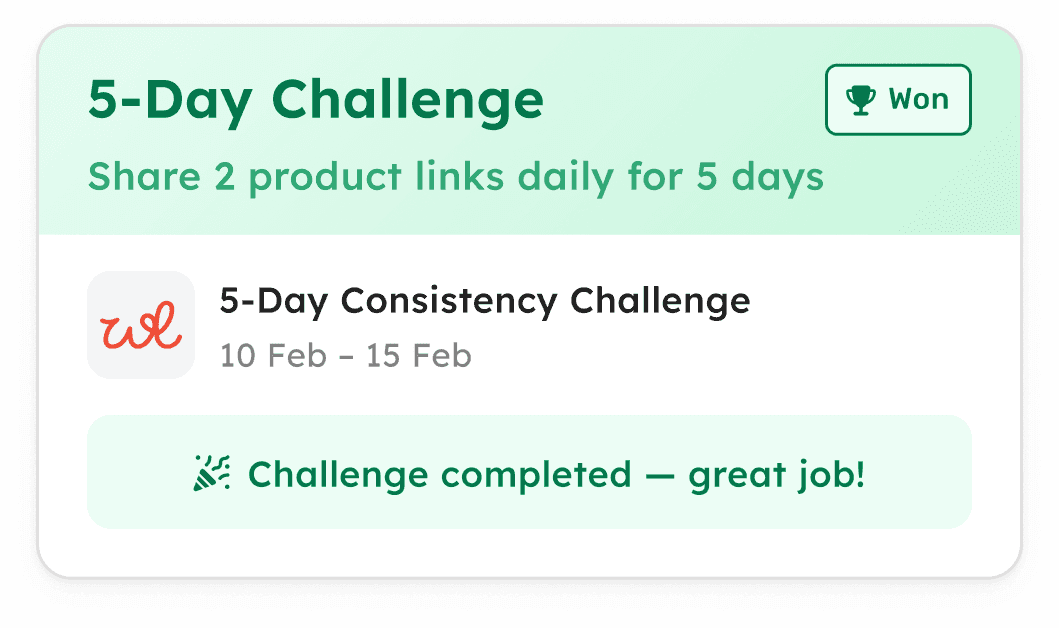
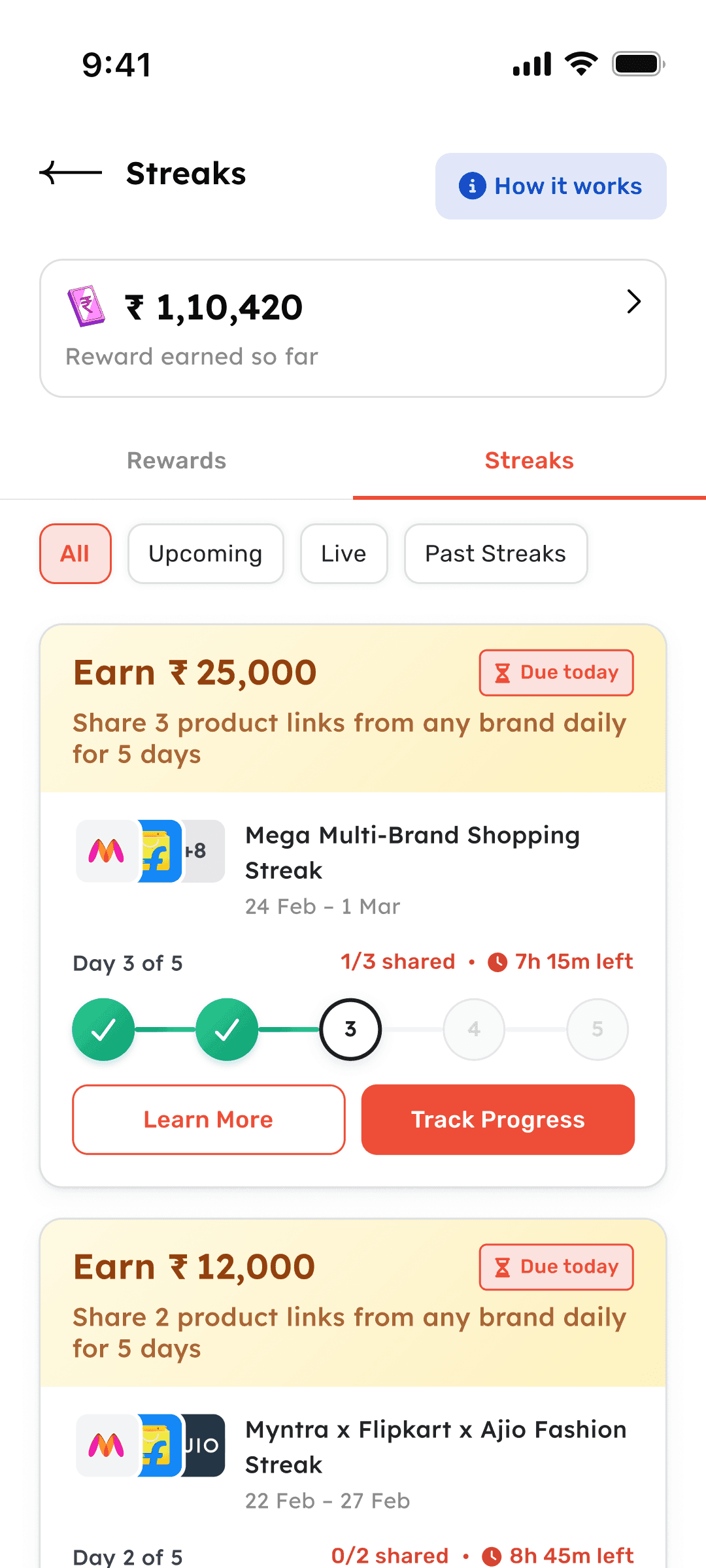
Wishlink is a creator commerce platform. Brands run campaigns, creators share product links.
Streaks are time-bound campaigns where creators commit to sharing a set number of product links per period (daily, weekly, or monthly) for consecutive periods. Complete the streak, earn the reward. Miss a period, the streak ends.
The problem
Previously, streaks ran on Plotline, a third-party tool that worked for experimentation but had limitations across tracking, support, and scale. Manual campaign setup for every streak. No real-time tracking visibility for creators. Heavy support overhead for “did my link count?” questions. Couldn't scale to multiple concurrent campaigns. No creator self-diagnosis.
The brief
Replace Plotline with an in-house system that's reliable, scalable, and transparent. Then design and build the entire creator-facing experience.
My Role
Sole designer. I owned product design and system design, then built the full frontend using Cursor.
Team
1 PM, 1 Designer (me), Engineering team
Timeline
Mar–Apr 2026 · v1 shipped
State-driven, not screen-driven.
The core design decision: treat this as a system, not a collection of screens. Every UI element (the card, the status tag, the CTA, the progress tracker) is derived from the intersection of four dimensions.
Lifecycle State
Where is this streak in time? Prelaunch, active, completed, missed. Each state changes everything the creator sees.
Reward Type
Money, credits, or pure challenge. The reward type shapes the card's headline, visual weight, and visual treatment.
Frequency
Daily, weekly, or monthly cadence. Frequency changes labels, counters, timer logic, and tracking section structure.
Progress
X of Y shared, time remaining, period index. Progress drives the tracker, status tags, and countdown behavior.
One card component handles every state. One tracking page adapts to any lifecycle. No new screens needed.
The streak moves through time.
A strict lifecycle with no ambiguity. Each state determines what the creator sees, what actions are available, and how progress is communicated.
State stability principle: Card state updates immediately when a creator completes their task, but card position in the listing only changes the next day. This prevents mid-session reshuffling and keeps the UI predictable while the creator is actively using it.
One card, every state.
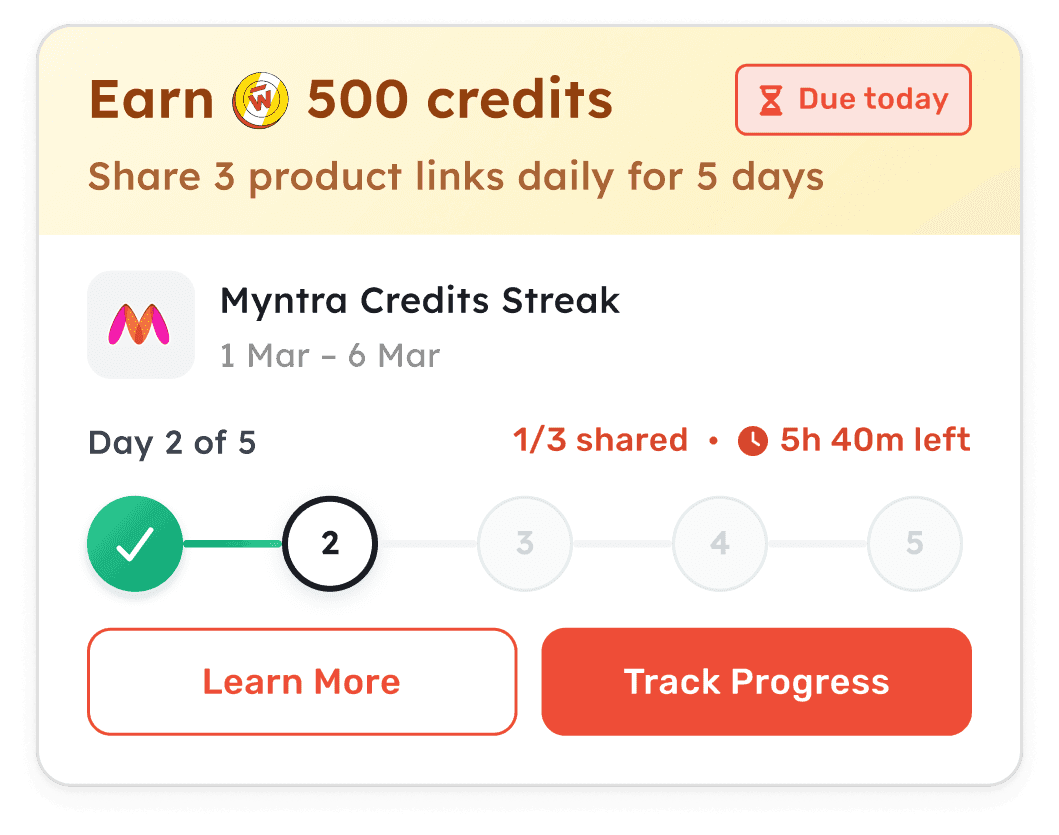
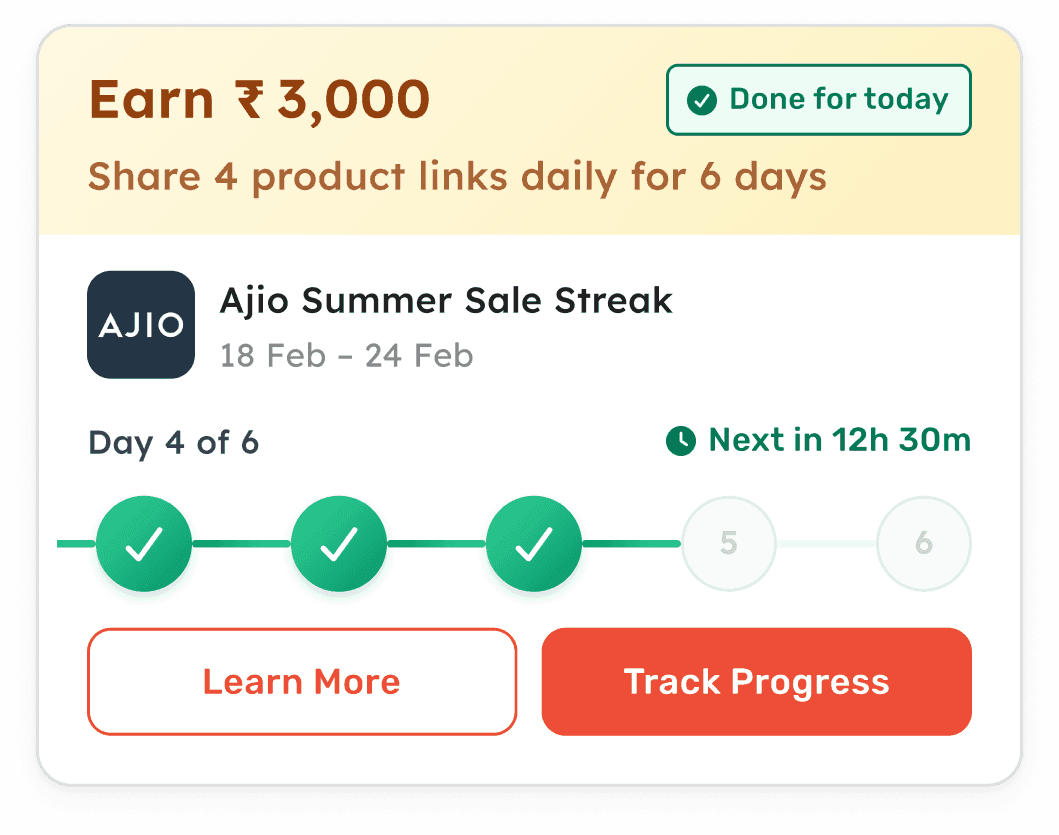
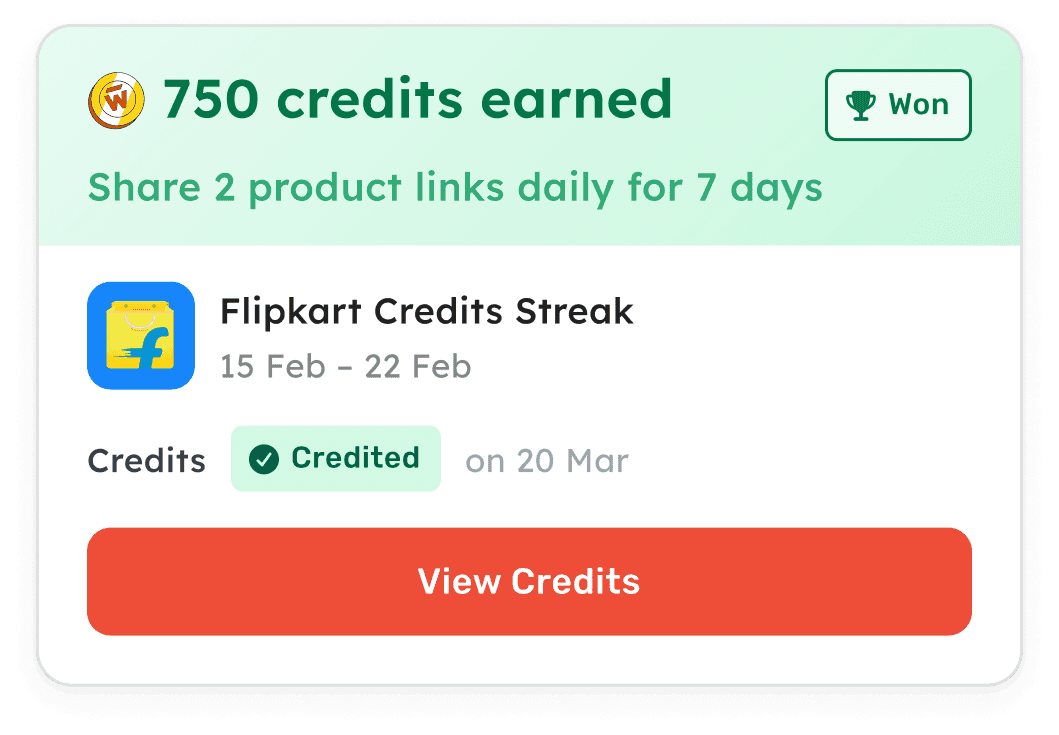
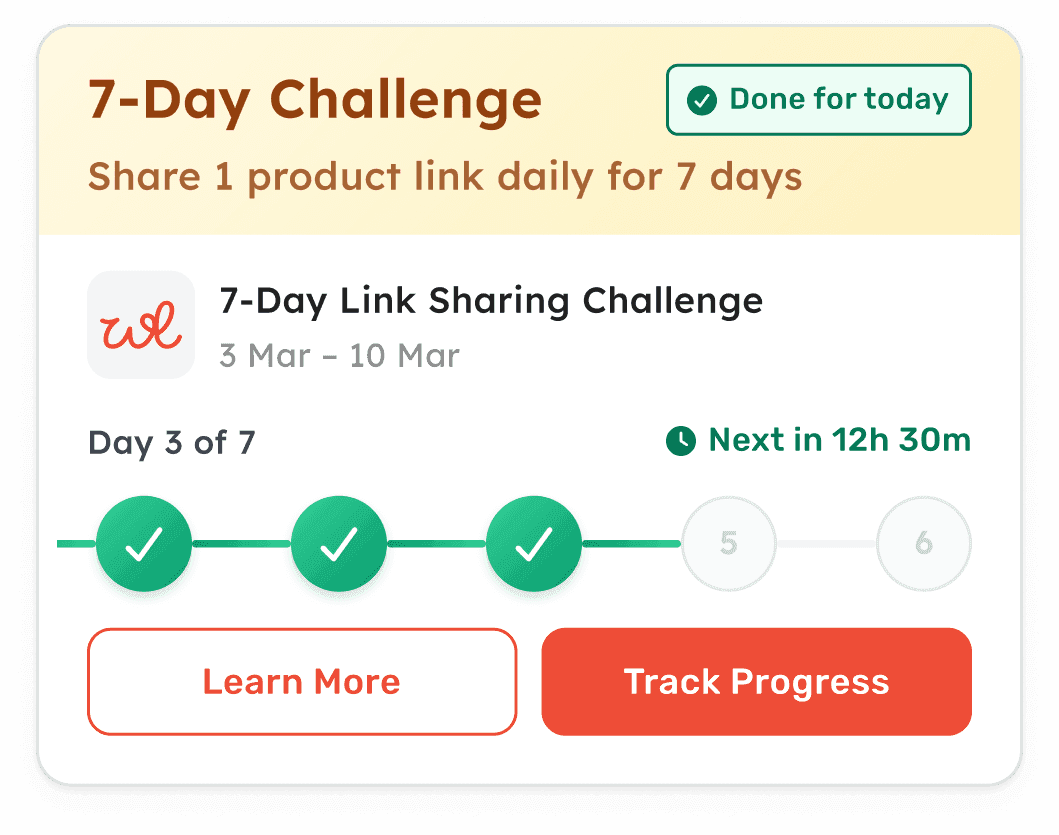
The streak card is the primary surface. It appears in the listing and communicates everything the creator needs, from “starts in 4 days” to “payout processing.”
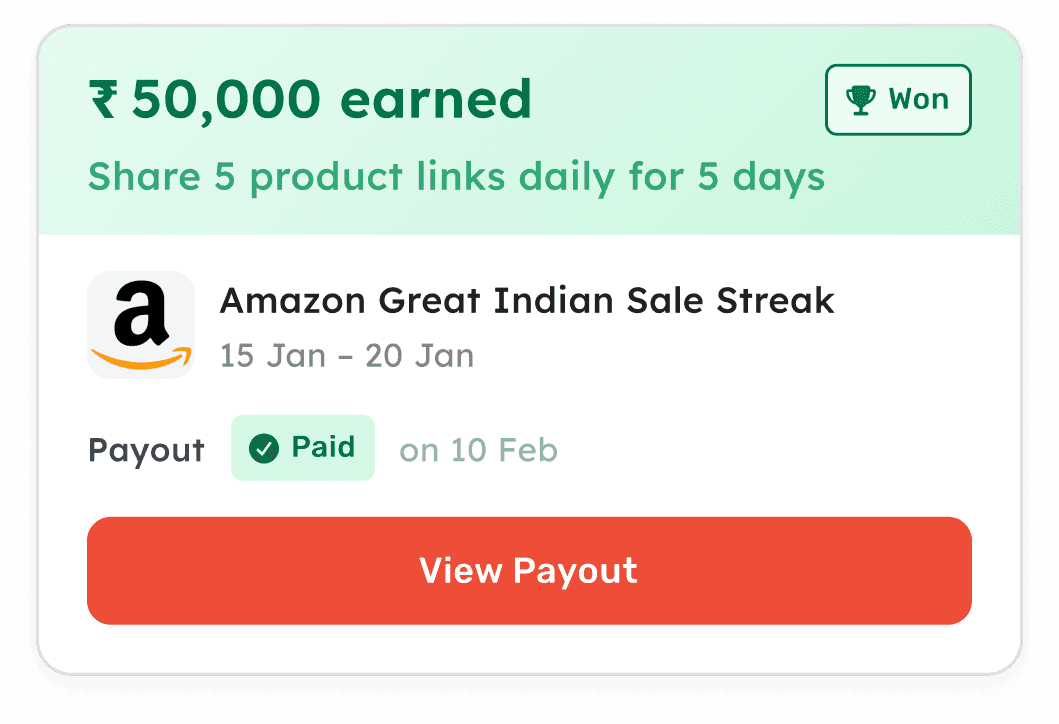
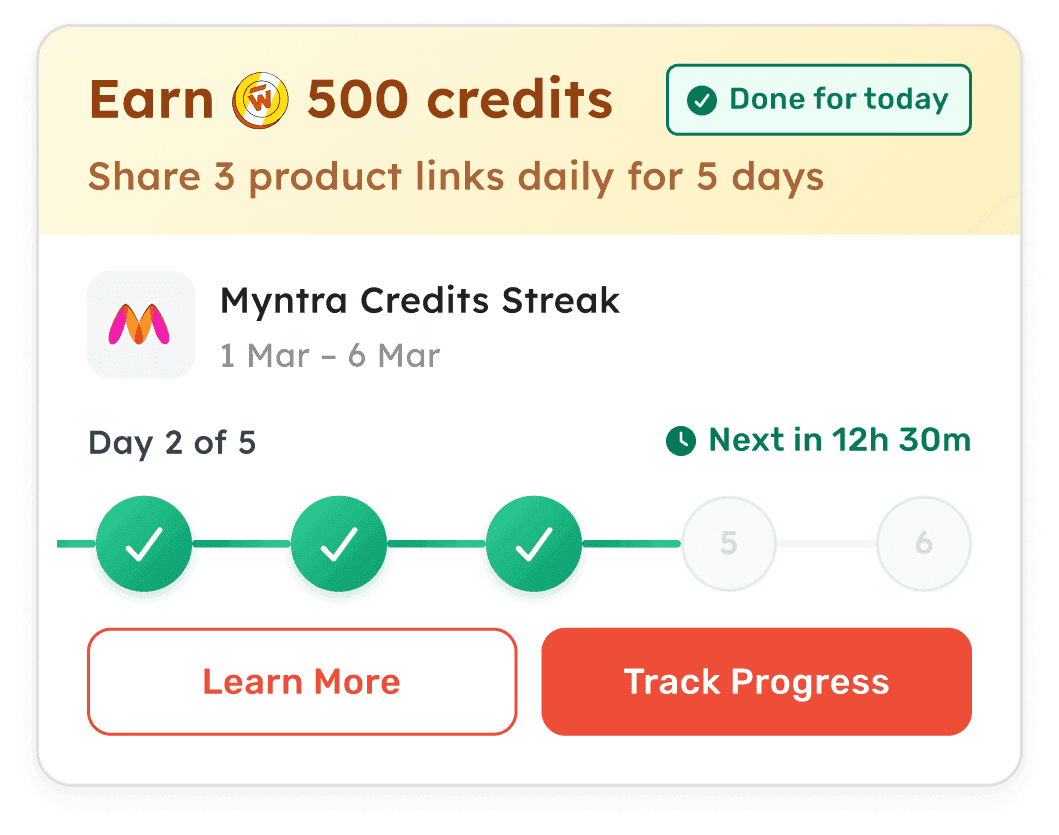
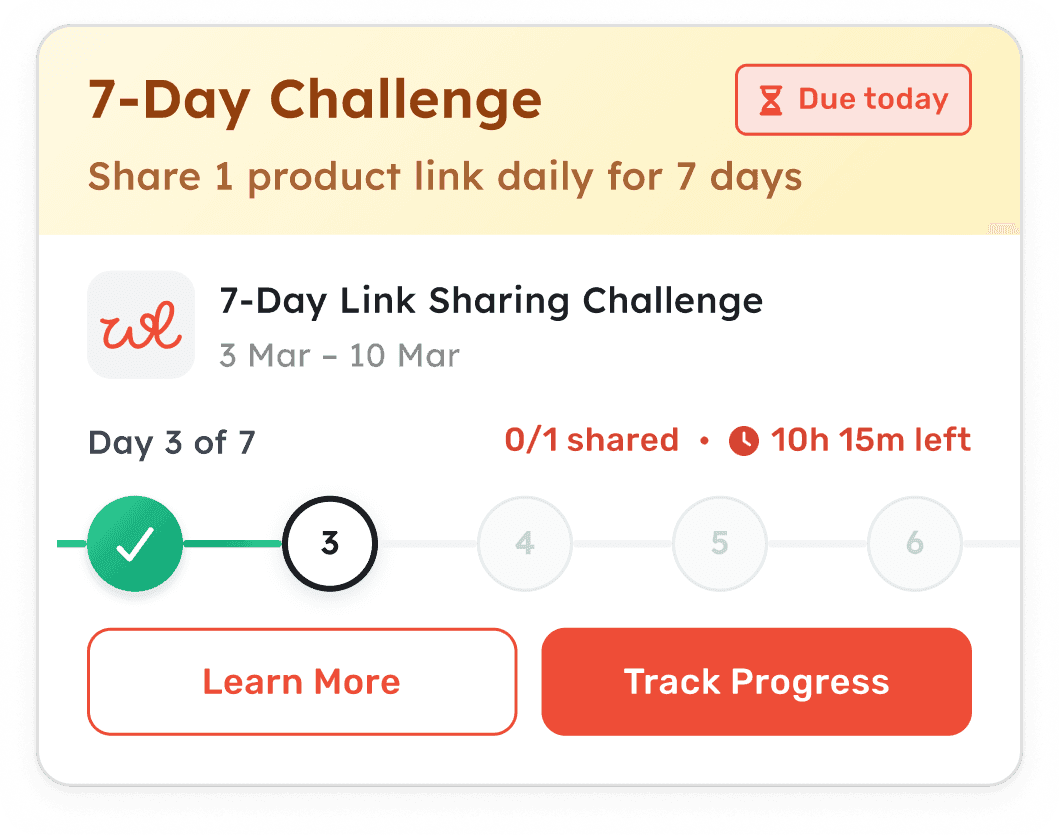
How the card communicates across time
Progress tracker
Day-by-day dots with completion states, connecting lines, and period counters that adapt to frequency.
Streak card header
The banner gradient, headline, construct subtitle, and status tag all resolve from a single state object. One layout handles every lifecycle and reward type combination.
Streaks lives inside Rewards.
Streaks and Rewards are two types of campaigns on Wishlink, so they share a single Rewards page with separate tabs. Both have their own entry point in the Wishlink Exclusive section on the home page, but they lead to the same destination. The listing uses pill-based filtering (All, Upcoming, Live, Past) with sticky positioning on scroll.
Information architecture
Home · Wishlink Exclusive
Rewards Page
Both entry points lead to the same page · Cards sorted by priority
Card movement logic
When a streak transitions from Live to Won/Missed, it stays in its current position for the rest of the day. Card state updates immediately, but card placement waits until the next day. This prevents mid-session reshuffling.
Home indicator priority cascade
Any streak is active & pending
Orange count badge · Opens Live filter
Any streak in prelaunch
Green dot · Opens Upcoming filter
Any streak won (unpaid)
Green dot · Opens Past filter
Any streak missed
Red dot · Opens Past filter
No active streaks
No indicator · Opens default tab
The transparency layer.
The Track Progress page lets creators see exactly what counted, what didn't, and why. Before this, “did my link count?” was the most common support ticket. Now creators can self-diagnose.

Page structure adapts to state
Small decisions, visible everywhere.
The interactions and edge cases across the system.
Day 1 Pulse
When a creator's streak starts and they haven't taken action yet, the first day indicator pulses. A visual prompt when no progress has been made yet.
Multi-Brand Logo System
Cards handle brand representation gracefully: single logo, overlapping logos, or overflow with “+N more” tooltip.
First-Visit Education
Rules sections auto-expand on a creator's first visit, then collapse on return. Tracked per streak so return visits stay clean.
Timer Logic
Non-final days show remaining days. On the last day of a period, the timer switches to hours and minutes, creating natural urgency.
Conditions Rotation
Multiple qualifying conditions rotate every 3 seconds with a fade animation. A counter shows progress. The callout arrow points to the Track Progress button.
Payout state progression
Designed and built.
I owned both the design and the frontend implementation.
I built the full frontend using Cursor. The behavioral complexity of this feature, dozens of state combinations, time-sensitive UI, priority-based sorting, made building alongside designing the right approach.
Component structure
Streaks Page
Listing, tabs, filters, priority sorting
420 lines
StreakCard
State-driven rendering for every lifecycle, reward type, and frequency
1,086 lines
StreakDayProgress
Day dots, connectors, pulse animation, completion states
315 lines
TrackProgress
Full tracking page, rules, periods, per-link transparency
1,318 lines
2,700+ lines of frontend code
One component, every combination
5 states × 3 reward types = 15 combinations from one component
Behavior that required building to get right
Countdown transitions: Timers switch from “3 days” to “10h 15m” on the final period day. Server time only, no device clock dependency.
Scroll-responsive elements: The filter pills and tabs get a shadow on scroll, creating visual separation without adding permanent weight.
Navigation state persistence: Scroll position, selected filter, and expanded sections persist through support and PDF flows. No state lost on navigation.
What moved in the first two weeks.
Streaks v1 launched in late April 2026 with seven streaks running concurrently on one system, no Plotline, no manual assembly. 26% of the assigned creator base participated in the launch window, and the numbers moved within 48 hours.
3×
Daily product links shared
Within 48 hours of launch
40–50%
Flipkart single-product GMV lift
Daily GMV, attributed to the sharing surge
1.5×
New-creator activation
12.4% participated vs 7–9% historical
88%
Day-4 retention
vs 78% historical benchmark
Concurrent by default
Seven streaks across six construct types — brand GMV, marketplace link sharing, posting, no-reward — ran simultaneously with zero added ops. The old stack ran one campaign at a time, each manually assembled.
Reach the old system excluded
The open no-reward streak pulled 25% participation from a cohort whose historical rate ran 10–12% — creators who mostly weren't eligible before. Any brand link counted, so the barrier to qualify dropped.
Behavior that repeats
Recurring performers participated at 51%, and 16% of creators assigned multiple streaks ran them in parallel — the first evidence of streaks becoming a habit rather than a one-off.
The transparency layer shipped with every one of these streaks: link-level tracking that lets creators self-diagnose “did my link count?” instead of filing a support ticket.
Reading these numbers honestly
These are early-cohort results, and launch came with a GTM tailwind — announcement comms and product buzz drove part of the surge. The benchmark-relative signals are the cleaner reads: new-creator activation at 1.5× the historical range, Day-4 retention at 88% against a 78% benchmark, and Day-2 drop-off at or better than historical on every construct. Completion-rate data was still maturing when this was written.
The sharpest lesson came from pushback. Some creators felt no-reward effort wasn't justified, while others joined precisely because participating might unlock future reward streaks. The behavioral thesis held — and it set a product rule: no-reward streaks never ship without reward streaks running alongside.
What the data showed.
Streaks v1 shipped with analytics instrumentation baked in. Every card impression, CTA tap, and tracking page interaction is logged, so the first read-out could compare every construct against its historical benchmark instead of guessing.
Benchmark-relative results
Retention held above benchmark
Amazon Link Sharing held 88% Day-4 retention against a 78% historical benchmark. FK x Garnier ran 91% on Day 3, FK x Maybelline 95% on Day 2, and every construct's Day-2 drop-off landed at or better than historical.
New creators activated at 1.5× benchmark
First-time streak performers participated at 12.4% against a 7–9% historical range — the strongest evidence that one card, clear rules, and visible progress lowered the entry barrier.
Sub-brand constructs outperformed
FK x Garnier reached 21% participation and FK x Maybelline 27% against a 16% historical benchmark for sub-brand campaigns — formats that previously underperformed now clear their bar.
Repeat participation showed up early
Recurring performers joined at 51%, consistent with the top of the 40–50% benchmark, and 16% of creators assigned multiple streaks performed in more than one at once.
The instrumentation behind the numbers
Card surface
- Card impressions per state and reward type
- CTA taps: Learn More, Track Progress, View Payout
- Conditions bar view and rotation engagement
- Brand tooltip opens on overflow cards
Tracking page
- Page visits per lifecycle state
- Section expand/collapse interactions
- Link-level item taps (copy wishlink, open post)
- Support entry and PDF document opens
Listing and navigation
- Home indicator taps by priority level
- Filter pill usage (All, Upcoming, Live, Past)
- Tab switches between Rewards and Streaks
Behavioral signals
- Day 1 pulse to first action conversion
- Time between streak going active and first share
- Period-over-period completion consistency
What comes next
The next read-outs are already scoped: completion rate and post-completion retention once cohorts mature, plus a synthesis of the creator-call feedback from the no-reward cohort. On the product side: no-reward streaks paired with reward streaks by rule, scaled collab and sub-brand streaks now that the home real-estate limitation is gone, the guided first-time experience, and an admin interface for campaign management.